Keeping the Tactile Spirit in the Cloud

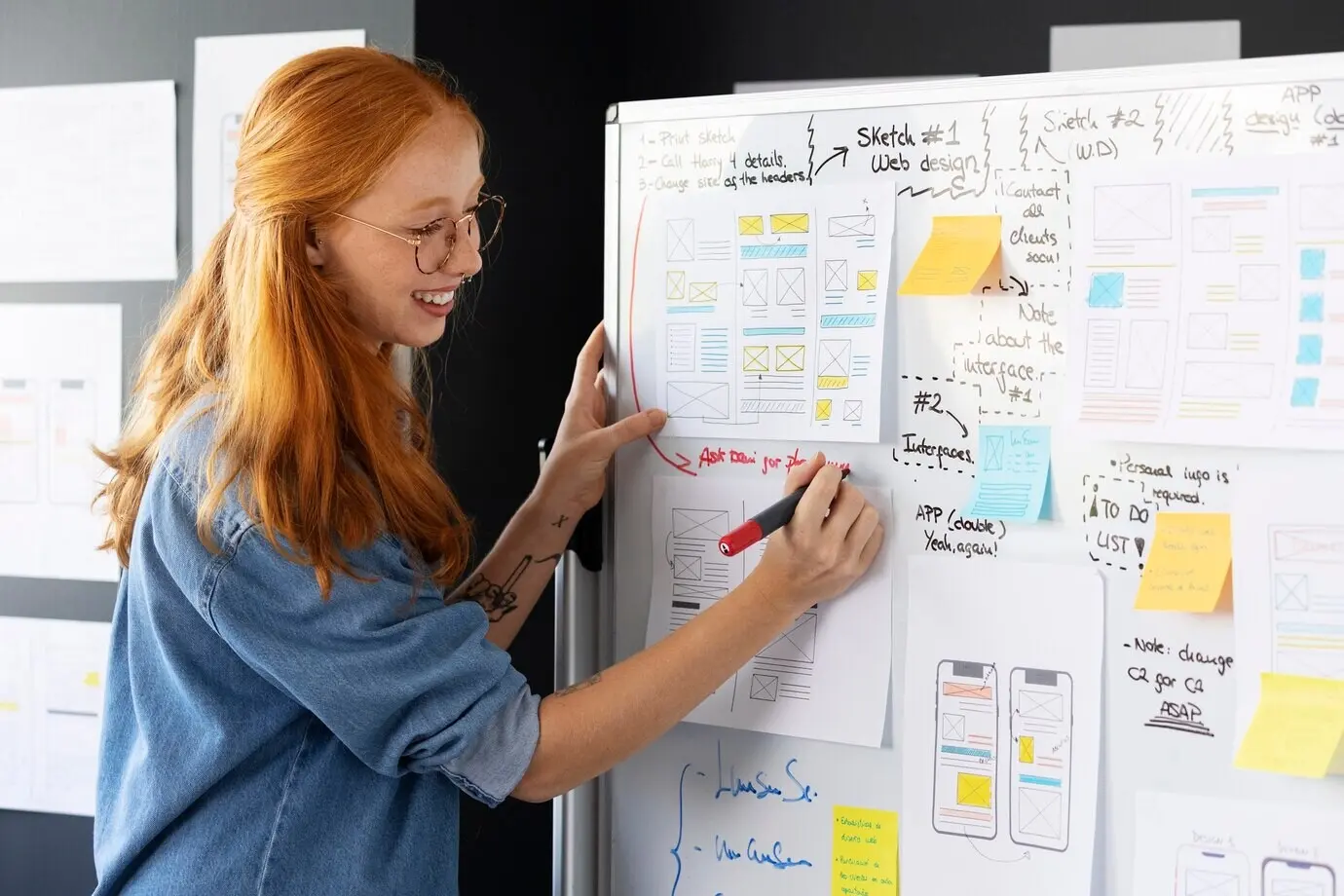
Physical sticky notes work because they are quick, visible, movable, and social. Recreating that magic online means choosing tools and habits that emphasize speed, spatial thinking, and shared ownership. When everyone can add a note instantly, drag clusters into meaning, and see progress evolve in real time, momentum grows. We pair the familiar discipline of color coding and grouping with digital perks like searchable tags, undo safety nets, and templates. The result is a living space where ideas breathe without chaos, decisions leave a trail, and small teams stay aligned.

The Equivalence Map: From Wall to Workspace

Translate the wall into a board by mapping sticky notes to cards, clusters to frames, columns to lanes, and dots to lightweight voting. Keep the rules simple and visible so nobody hesitates to participate. Maintain constraints that mirror the physical world—limited visible space, clear headings, and one thought per note—to preserve clarity. Then add digital strengths, like color legends, quick filters, and hyperlinks to specs. This equivalence map reduces uncertainty, speeds onboarding, and turns the board into a reliable, shared mental model for distributed teammates.

Cognitive Benefits of Seeing Work Spatially

Spatial layouts tap our brain’s natural talent for mapping relationships and recalling context. When a small remote team lays ideas in clusters, their decisions become easier, because proximity and grouping reveal hidden patterns. Digital boards retain this advantage while offering zoom, focus modes, and snapshots that freeze an arrangement at a critical moment. Combined with color and iconography, teams quickly identify priorities, dependencies, and risks without reading long documents. The visual field becomes a decision surface, reducing fatigue and strengthening shared understanding across different schedules.

Anecdote: The Wall That Became a Sprint Breakthrough

A five-person startup once photographed their office wall covered in bright notes before going fully remote. Rebuilding it digitally, they kept the same column names, colors, and cluster labels, then added tags and short owner initials. The first sprint after migrating, they cut meeting time by a third and spotted duplicate work in minutes. A tiny voting round surfaced a risky dependency, saving days of rework. The board felt familiar yet safer, with history and rollback. They never returned to the old wall, but they kept its spirit.

Frictionless Entry and Onboarding

Momentum dies when new contributors hunt for buttons or wait for approvals. Choose a board with easy invites, clear cursors, and discoverable tools that feel like picking up a real pen. Provide a visible legend, starter templates, and one-minute walkthrough GIFs right on the canvas. Create a sandbox corner for practice, with playful prompts to add, move, and color notes. After ten minutes, participants should feel capable, curious, and safe to experiment. High adoption stems from low anxiety, and confident users collaborate more boldly and consistently.

Essential Features: Stickies, Swimlanes, and Shortcuts

Speed comes from the small things: single-keystroke sticky creation, drag-to-duplicate behaviors, and snap-to-lane alignment that keeps order without friction. Swimlanes impose just enough structure to help prioritize while staying flexible for evolving work. Hotkeys for color, size, and tags keep flow states intact. Filters help someone find their notes quickly, and links connect to specs or tickets without breaking focus. Exportable frames become shareable artifacts. When the tool respects your need for speed and clarity, creative thinking accelerates instead of struggling against menus.

Designing Rituals: Brainstorms, Kanban, Retros, and Planning

Rituals turn a board into a dependable collaboration engine. Establish a cadence that respects time zones and keeps meetings short, focused, and purposeful. Use templates for each format so nobody starts from scratch. Brainstorms begin with prompts and silent rounds, Kanban stays lightweight and honest, retros capture insights with kindness and action bias, and planning bridges ideas to next steps. Each ritual earns its place by reducing uncertainty, surfacing priorities, and making progress visible. Keep the ceremonies human, flexible, and anchored in your team’s real constraints.

Remote Brainstorming That Generates Volume and Quality

Start with a sharp prompt, a visual example, and a short warm-up that gets everyone typing. Run two silent rounds to encourage independent ideas before group influence. Cluster quickly, then ask participants to title each cluster to clarify meaning. Dot-vote lightly to find promising directions, but also invite an expert veto for obvious non-starters. End with a mini brief summarizing the top clusters, risks, and next experiments. This rhythm maintains psychological safety, avoids groupthink, and preserves momentum from raw ideas to focused exploration.

Lightweight Kanban Built for Three to Seven People

Kanban for a small crew should be honest about capacity and crystal clear on prioritization. Keep columns minimal—Proposed, Doing, Blocked, Done—and limit work in progress to protect focus. Notes should carry a crisp statement, owner initials, and a link to deeper context. Standups happen on the board, async or live, with quick updates and visible status moves. Weekly maintenance cleans out stale items and celebrates completed clusters. By keeping it lean, the board becomes a living heartbeat, not administrative overhead that drags energy away.

Retrospectives That Produce Action, Not Just Catharsis

A good retro acknowledges effort, spots patterns, and proposes small experiments. Use three frames: Keep, Change, Try. Invite silent note drops, then cluster and rephrase for clarity. Vote to highlight the most consequential insights, and assign just one or two experiments with clear owners and due dates. Capture expected outcomes directly on the board, and review results at the next retro. This continuity builds trust and learning. The goal is progress, not perfection—tiny improvements that compound into smoother collaboration and more resilient, joyful remote teamwork.

Timeboxing and Micro-Agendas

Timeboxing keeps momentum from dissolving into rambling. Open with a micro-agenda: objectives, steps, and expected outcomes in one visible frame. Set short intervals for silent note creation, clustering, and discussion. Use timers on the board so everyone sees the clock without interruptions. Close loops with a one-minute summary and clear next moves. If the clock runs out, capture open questions in a parking lot frame. Teams learn the cadence quickly, trust the process, and contribute with sharper focus because attention is treated as a precious resource.

Silent Rounds, Vote Dots, and Fair Turn-Taking

Silence can be a superpower. Start with private idea generation to reduce bias, then reveal notes together for a burst of novelty. Dot-vote sparingly to indicate interest, not absolute truth. Facilitate short rounds where each person speaks once before anyone speaks twice. Use a visible queue for hands or emojis to keep order. This rhythm fosters equity, protects introverts, and elevates underrepresented perspectives. Over time, you’ll notice more thoughtful ideas and fewer interruptions, transforming meetings from exhausting debates into collaborative, respectful decision-making moments that feel genuinely inclusive.

Visual Language: Colors, Tags, and Grouping That Tell a Story

Consistent visuals make boards readable at a glance. Define a small palette with specific meanings—yellow for ideas, blue for tasks, red for risks, green for decisions. Use tags to add metadata like owner, priority, and status without bloating text. Grouping should follow a clear logic aligned to outcomes, not personalities. Frames become chapters that guide readers through context, options, and conclusions. When everyone recognizes the language, the board becomes a narrative device, turning scattered notes into coherent progress that stakeholders can trust and follow.

Color Systems That Reduce Cognitive Load

Color is powerful, so keep it disciplined. Assign fixed meanings and publish a compact legend on the board. Reserve bright colors for alerts and decisions; keep ideas calm and inviting. Avoid rainbow chaos that blurs intention. Pair colors with concise labels and consistent shapes to improve scanning speed. Test your palette for color blindness and low contrast environments. When colors are predictable, teammates process information faster, spot anomalies sooner, and feel less mental strain. Clarity scales because everyone knows exactly what each hue promises before reading a word.

Structuring Boards With Frames, Lanes, and Links

Frames act like pages, lanes act like chapters, and links stitch everything into a navigable story. Start with a landing frame that orients newcomers and defines the purpose. Use lanes to separate stages or streams without overcomplicating flow. Link from notes to specs, demos, or tickets so details live where they belong. Add breadcrumbs between frames for guided tours of complex boards. This structure respects both explorers and skimmers, helping small teams find context swiftly and stakeholders dive deep only when needed, saving time and reducing confusion.

Clear Prompts and Templates That Guide Contributions

Prompts focus attention. Write them like mini briefs with goals, constraints, examples, and deadlines. Add a template frame with labeled regions for ideas, risks, and decisions, so contributors know exactly where to drop notes. Include character limits to encourage crisp writing and one-thought-per-sticky discipline. Pin guidance at the top so nobody digs through chats. When structure is obvious, contributions arrive faster and more comparable, saving facilitators from cleanup and misinterpretation. Clarity converts good intentions into high-quality input that moves the work forward without real-time meetings.

Notifications That Inform Without Distracting

Alert fatigue kills momentum. Configure notifications for mentions, assignments, and decision snapshots, while muting low-value chatter. Encourage teammates to summarize bursts of edits in one threaded update rather than many pings. Provide a daily digest that highlights changes by frame and priority. Inside the board, use subtle badges to signal unread items. This approach respects focus while ensuring nobody misses essential shifts. People return to the board on their terms, feeling informed rather than harassed, which ultimately sustains quality contributions and healthier, more predictable collaboration rhythms.

Measuring Impact and Sustaining Habits

Metrics should encourage, not punish. Track signals that reflect collaboration quality: time from idea to decision, frequency of async contributions, and the percentage of retrospectives producing follow-up experiments. Celebrate small wins publicly on the board with a dedicated frame of victories and templates worth reusing. Schedule tiny tune-ups to prune visual clutter and refine rituals. Invite feedback with lightweight polls. Over time, these practices compound into smoother workflows, happier contributors, and outcomes that stakeholders feel as faster delivery and fewer surprises—sustained by habits the whole team owns.
Solinervalexo
Privacy Overview

This website uses cookies so that we can provide you with the best user experience possible. Cookie information is stored in your browser and performs functions such as recognising you when you return to our website and helping our team to understand which sections of the website you find most interesting and useful.