
Turn Colorful Notes into Real Momentum
Today we dive into the Sticky-Note Strategy for Small Business Projects, translating busy ideas into visible, movable actions. Expect practical setups, honest stories, and proven habits that turn walls into working systems, align teams quickly, and keep progress unmistakably clear even during chaotic weeks.
Why Visual Planning Works
When work is visible, teams decide faster and forget less. Sticky notes externalize memory, reduce cognitive load, and create shared context without long explanations. By literally moving tasks through stages, progress becomes a conversation, not a report, and small businesses gain clarity without expensive software or complicated training.




From Blank Wall to Actionable Board
You only need a flat surface, tape, and a handful of colors to start. Define columns that reflect your actual process, not a generic framework. Use large, readable handwriting, strong verbs, and deadlines. Keep the layout flexible so your board evolves as your business learns.
Choose the Right Surface and Tools
A whiteboard welcomes rewrites, while a door or glass panel invites quick setup. Use contrasting colors for categories and a bold marker that stays legible from a few steps away. Painter’s tape creates clean columns, and a photo snapshot preserves history before the next weekly reset.
Design Columns That Mirror Reality
Classic stages like Backlog, Next, Doing, and Done work well, but customize confidently. Add Waiting for Client, Proof, or Delivery if those handoffs define your rhythm. Fewer columns reduce confusion, while one special lane for urgent items prevents surprises from quietly derailing everything else on your board.
Create a Simple Card Language
Write one action per note using an imperative verb and an explicit outcome. Add initials for ownership, a target date, and an estimate if helpful. Use consistent color rules, like pink for marketing or yellow for operations, so scanning clusters becomes instant rather than an interpretive exercise every morning.
Prioritization That Respects Reality

One Task per Note, No Hidden Complexity
Split big goals into clear, finishable actions. If a note hides multiple steps, it will stall. Break it down until completing it in a focused block feels realistic. You will celebrate more wins, spot stuck work faster, and plan with a truer sense of available capacity.
Right-Size Effort with Honest Estimates
Use small, medium, and large marks rather than precise hours. Quick estimates create useful conversations without pretending certainty. If too many large notes crowd your Doing column, rescope or sequence them. Consistent sizing disciplines ambition and protects the calendar from rosy guesses that never actually materialize.
Daily Five-Minute Curation Ritual
Gather, scan, and adjust. Pull one to three high‑leverage notes into focus and push noncritical items back. Check waiting items and unblock them early. That small cadence averts firefighting by catching drift and dependencies before they swell into schedule‑breaking surprises on Friday afternoon.
Collaboration Without Meeting Overload
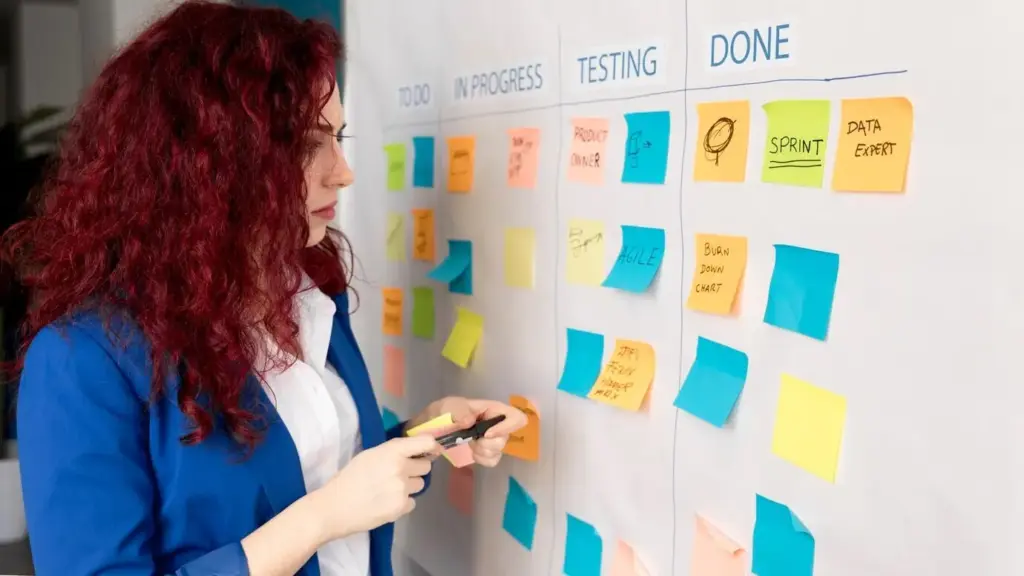
A shared board becomes a conversation anchor that reduces calendar bloat. Instead of status meetings, teams huddle briefly by the wall, point, decide, and move. Ownership is visible, blockers are public, and handoffs become frictionless. Clear artifacts replace long emails, and momentum becomes everyone’s job.

Metrics You Can See at a Glance
Data does not require dashboards. Tally marks, dated dots, and small legends turn your wall into a living report. Track cycle time by writing start and finish dates, count throughput weekly, and watch work‑in‑progress limits. Decisions improve because evidence is literally in front of your eyes.

Stories from Small Business Frontlines
Before, prep lists lived in pockets and memory. After, a wall by the mixers showed mixing, proofing, baking, packing, and delivery. Color tags flagged allergens and deadlines. Waste fell, overtime shrank, and new hires learned faster because the process was literally visible beside the ovens each dawn.
Service calls used to pile unpredictably. The team created columns for scheduled, en route, on site, parts needed, and invoiced. Photos of tricky equipment pinned beside notes accelerated troubleshooting. Fewer callbacks, steadier cash flow, and calmer dispatchers followed, because the day finally matched what the board predicted reliably.
Client projects stalled in feedback. The studio added a Waiting on Client lane and a red corner tag for blockers. Weekly snapshots went to clients, prompting timely reviews. Work stopped boomeranging, deadlines stabilized, and designers felt pride again as Done filled with colorful cards every Friday afternoon.
Make It Stick: Habits, Upgrades, and Next Steps
Keep the system alive with tiny routines and occasional upgrades. Celebrate completed notes, archive snapshots, and prune stale items. Add templates, seasonal lanes, or checklists as your cadence matures. Share your wall with peers, invite feedback, and subscribe for experiments that sharpen what already works well.
Seven-Day Starter Challenge
Pick one project, create four columns, and cap Doing at three notes. Meet for five minutes daily to move cards and remove blockers. After a week, review throughput, cycle time, and morale. Keep what helped, drop what did not, and grow carefully without complicating a process that feels natural.
Tiny Upgrades with Big Payoffs
Introduce checklists for recurring tasks on the back of notes. Use color borders for deadlines approaching within three days. Add a modest parking lot for ideas, preventing your backlog from bloating. Each upgrade should reduce friction immediately, or it is not an upgrade—just an elegant distraction wearing tape.
Join the Conversation and Share Photos
Readers love practical examples. Snap your board, blur sensitive details, and share what surprised you most. Which column jammed? Which color rule helped? Subscribe for weekly prompts, reply with questions, and request templates. Together we will refine simple practices that keep small teams shipping work with confidence.
All Rights Reserved.